
Epic VoLTE
VoLTE is available to all Epic mobile customers. Simply enable it on your device to start enjoying its benefits.
Experience better calls with Epic VoLTE
VoLTE is becoming the new standard for mobile communication. Activate today to stay ahead and enjoy the best our network has to offer.

What is VoLTE?
VoLTE is a technology that allows you to make voice calls over a 4G LTE data network instead of the older 2G or 3G voice networks. When you made a phone call, your phone would silently drop down to a 3G or 2G network to handle the voice call, and then jump back to 4G when you hung up. VoLTE keeps everything on the same high-speed network.

HD Voice Quality
Calls are more clearer using Epic’s robust & reliable mobile network.
Instant Call Setup
Instant setup on your smartphone so your calls connect faster than ever.

Improved Efficiency
Get a smoother mobile experience when calling over our robust mobile network.
Browse & call
Simultaneous browsing & calling without slowing down and interruptions.
Get started with Epic VolTE
VoLTE is available to all Epic mobile customers. Simply enable it on your device to start enjoying its benefits.
Follow step-by-step guide
Visit the nearest Epic Store
Get VoLTE on your iPhone
If you’re using iOS 26, VoLTE is enabled by default. No further action is required.
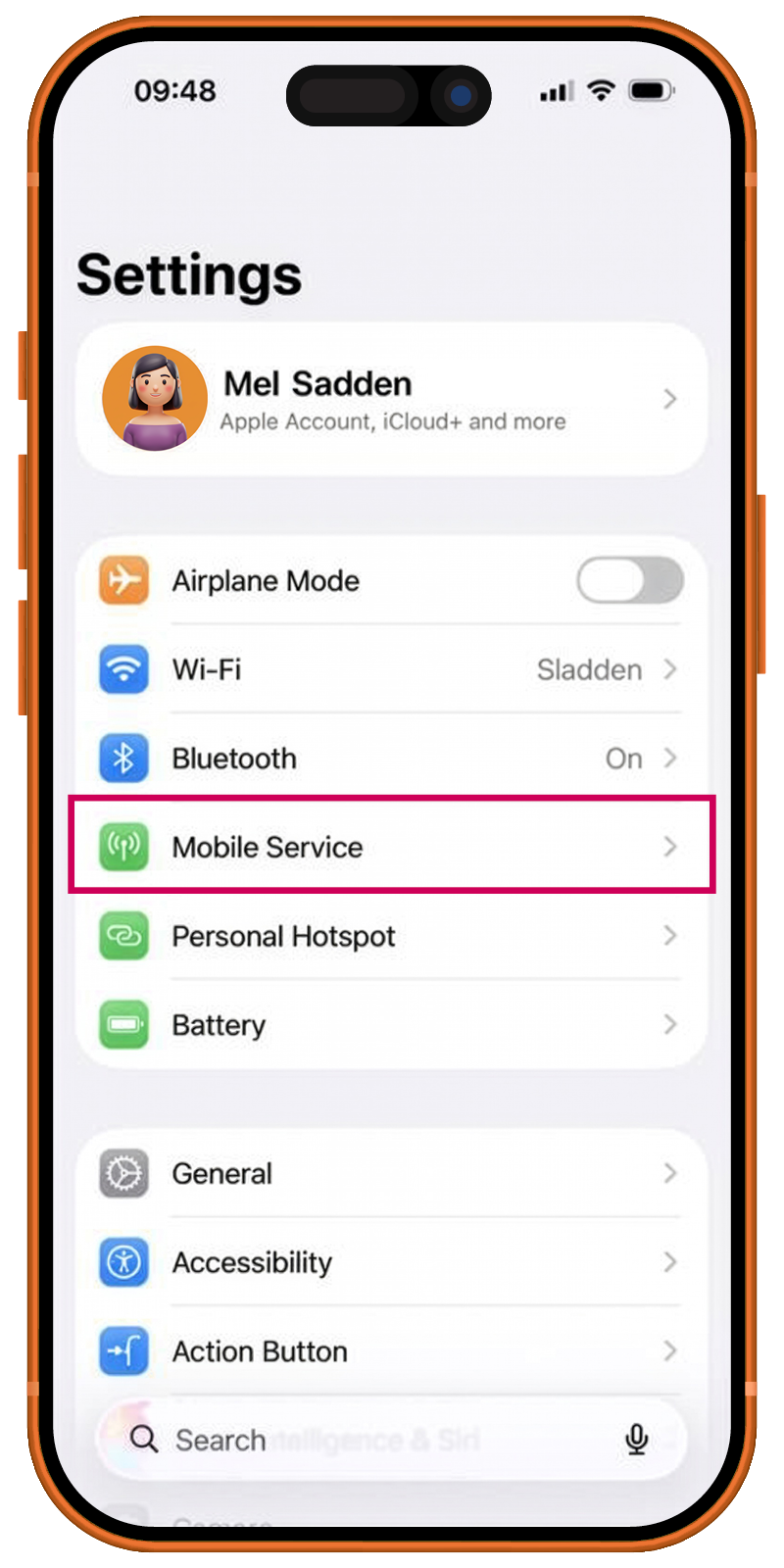
Settings
Find Mobile Services
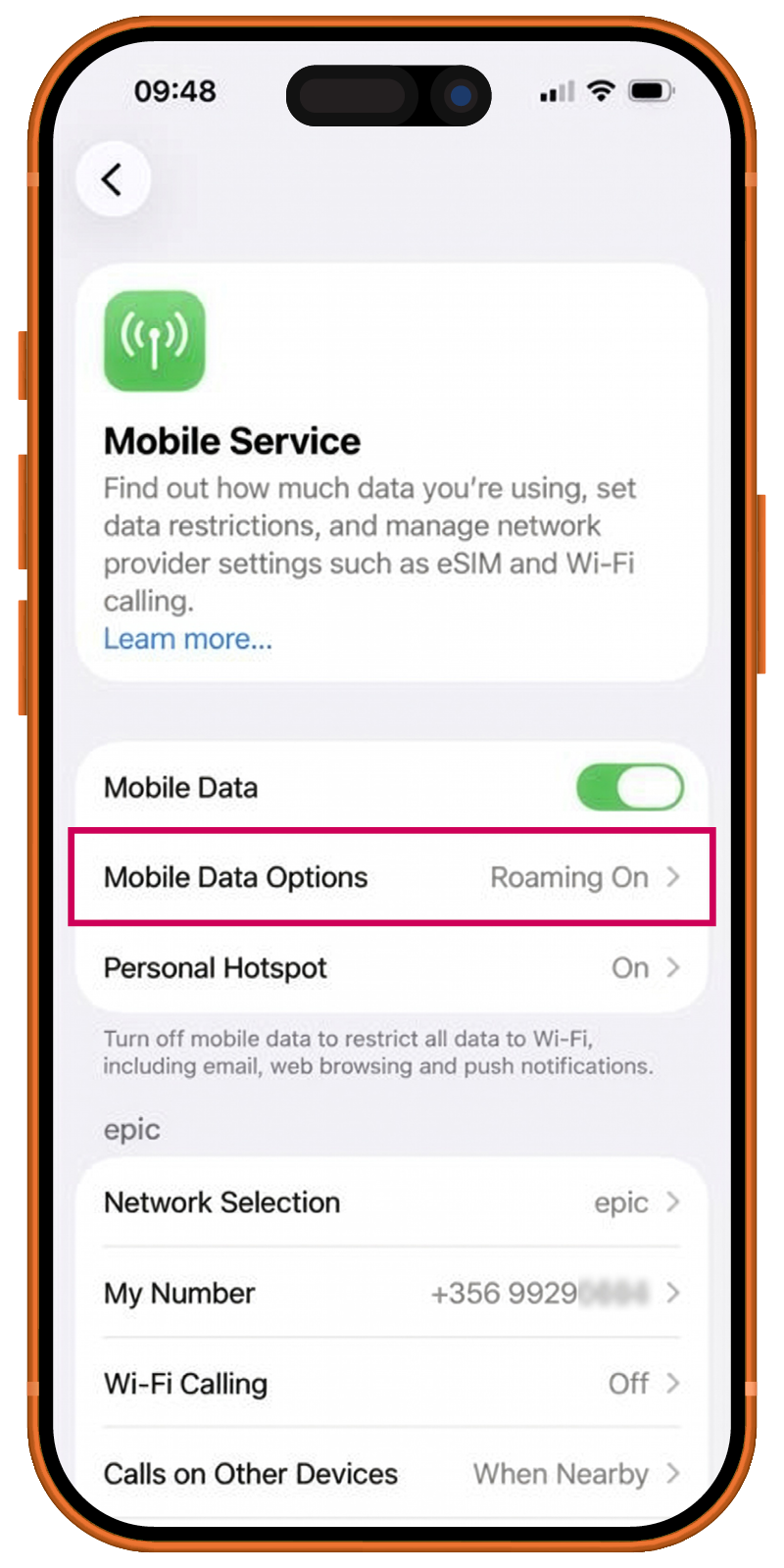
Mobile Data Options
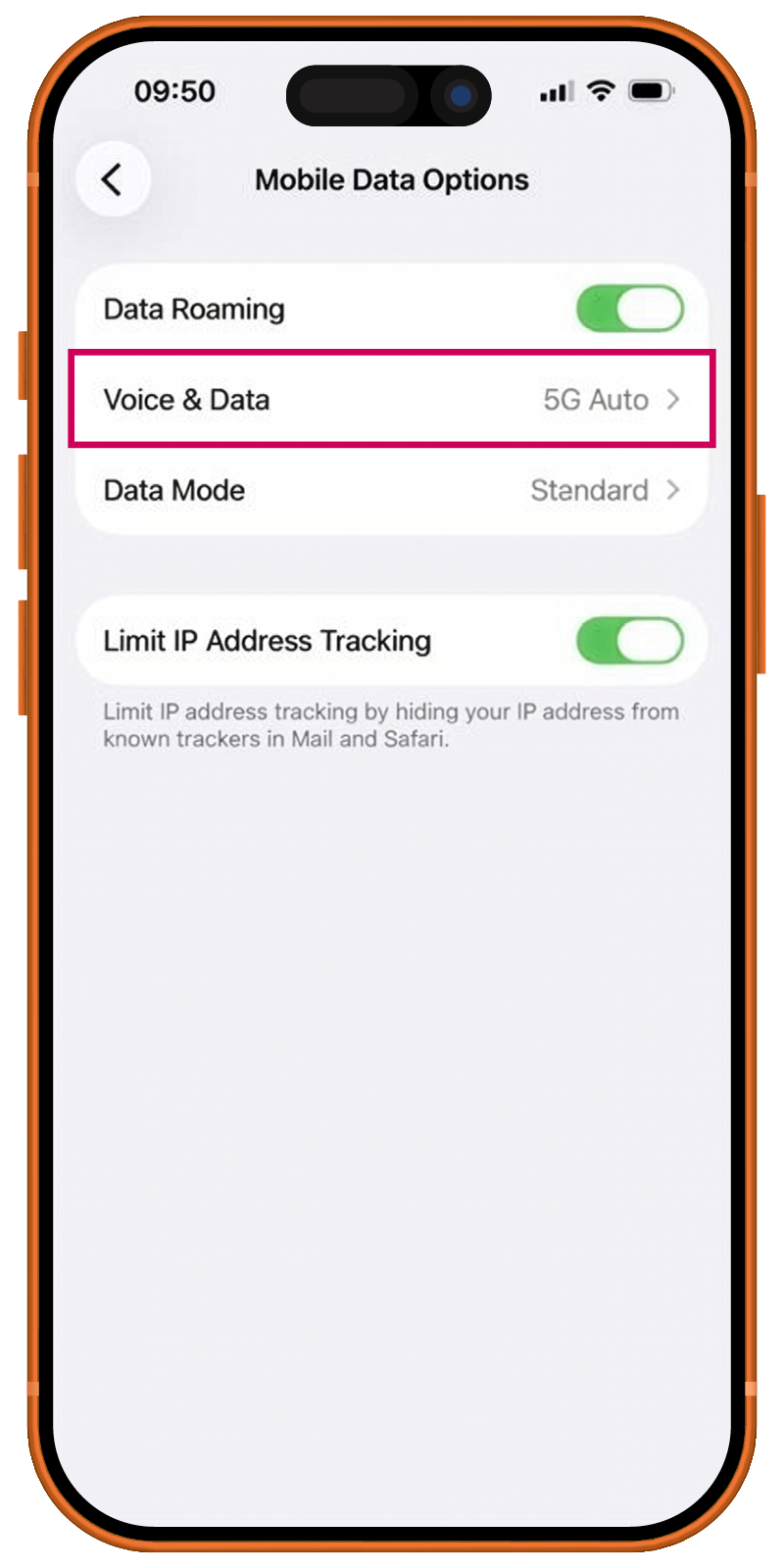
Go to Voice & Data
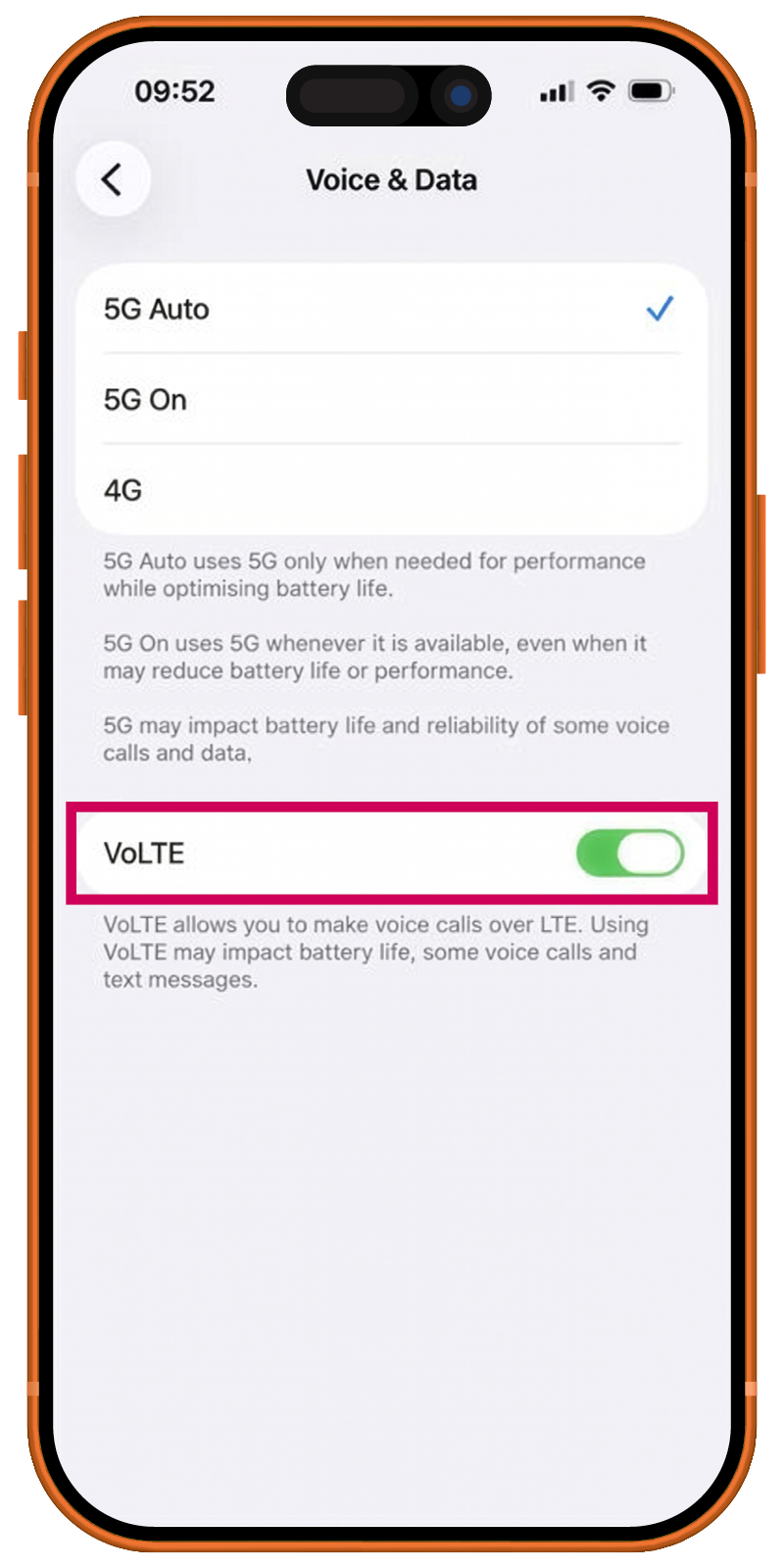
Turn on VoLTE
You are set!
How to activate VoLTE on your iPhone with 2 sims?
- Go to ‘Settings’ and select ‘Mobile Service’
- Click on ‘Mobile Data Options’, and then choose ‘Voice & Data’
- Toggle ‘VoLTE’ on. Once you are activated, you will all set with VoLTE.
Get VoLTE on your Samsung
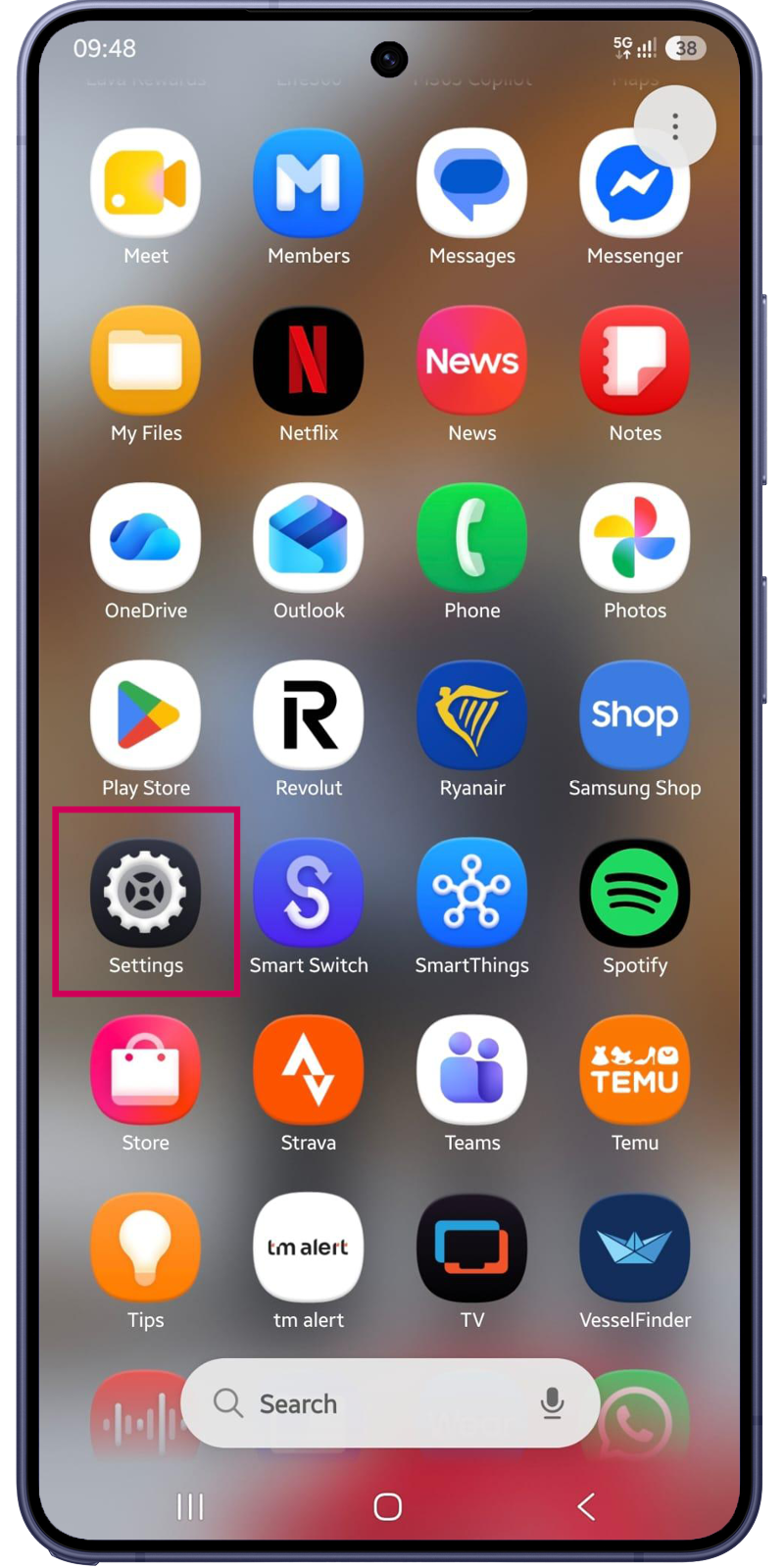
Find Settings
This icon may vary from one device to another
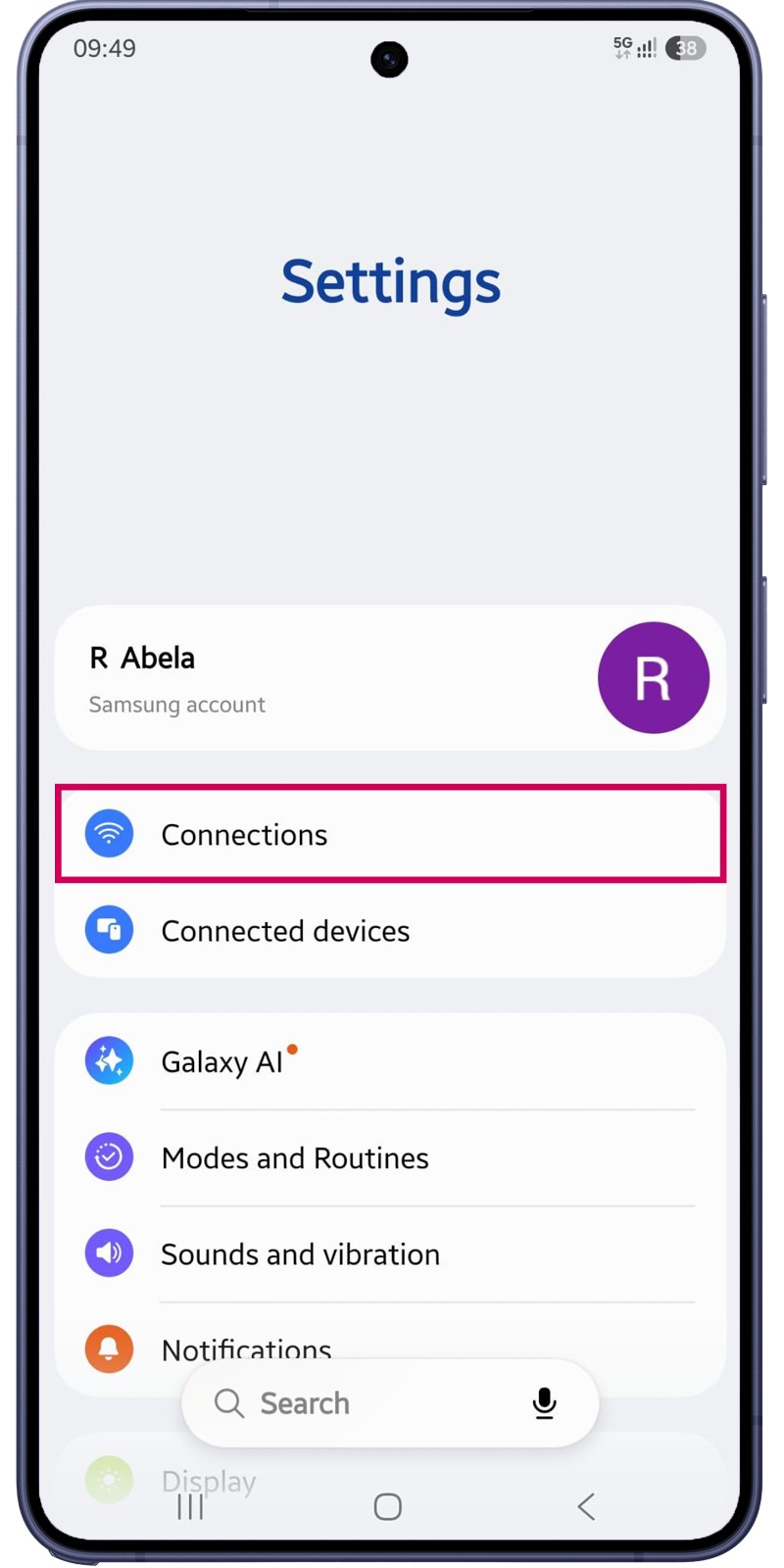
Connections
First option of your settings.
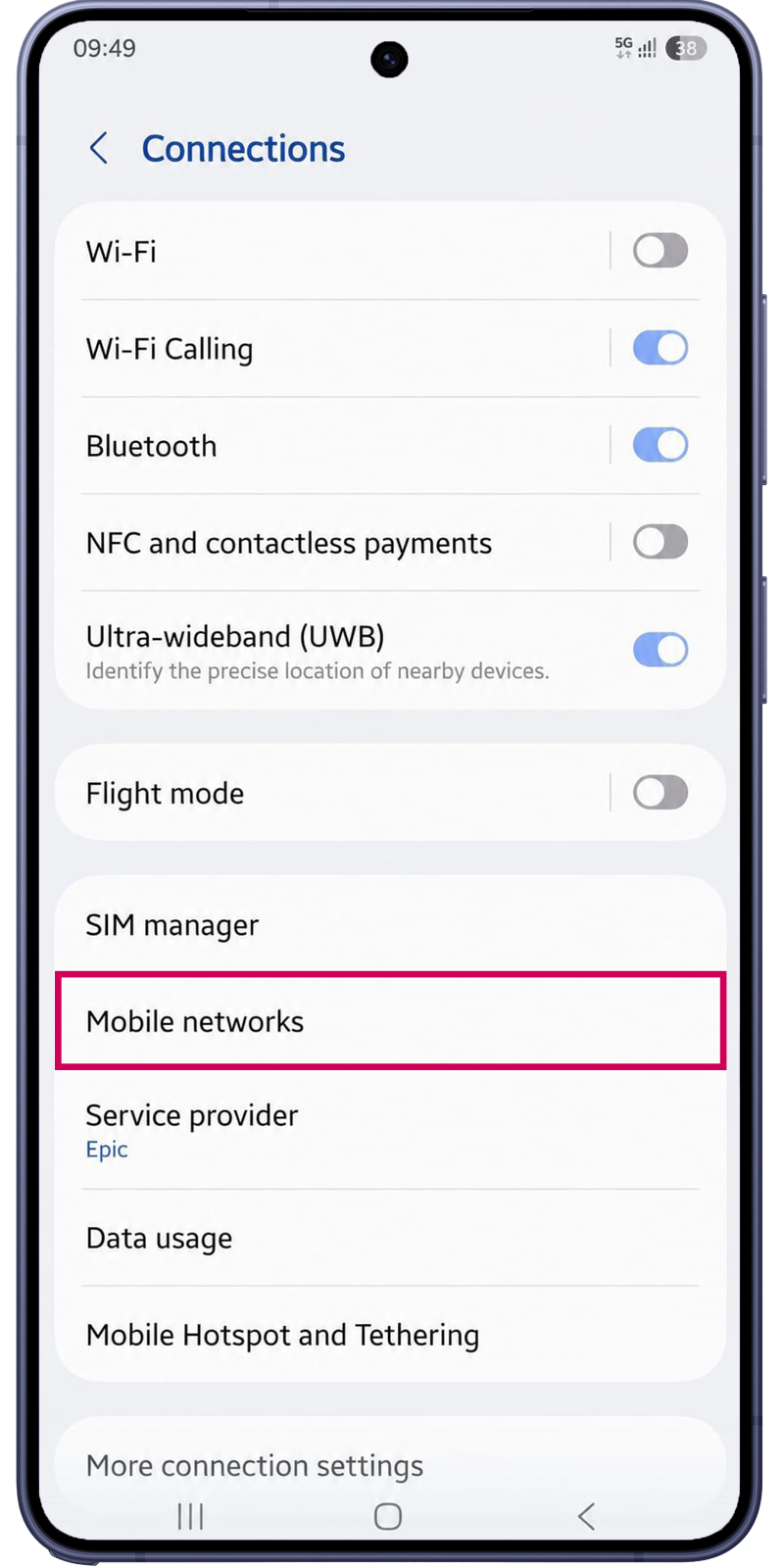
Mobile Networks
Under Connections, go to Mobile Networks
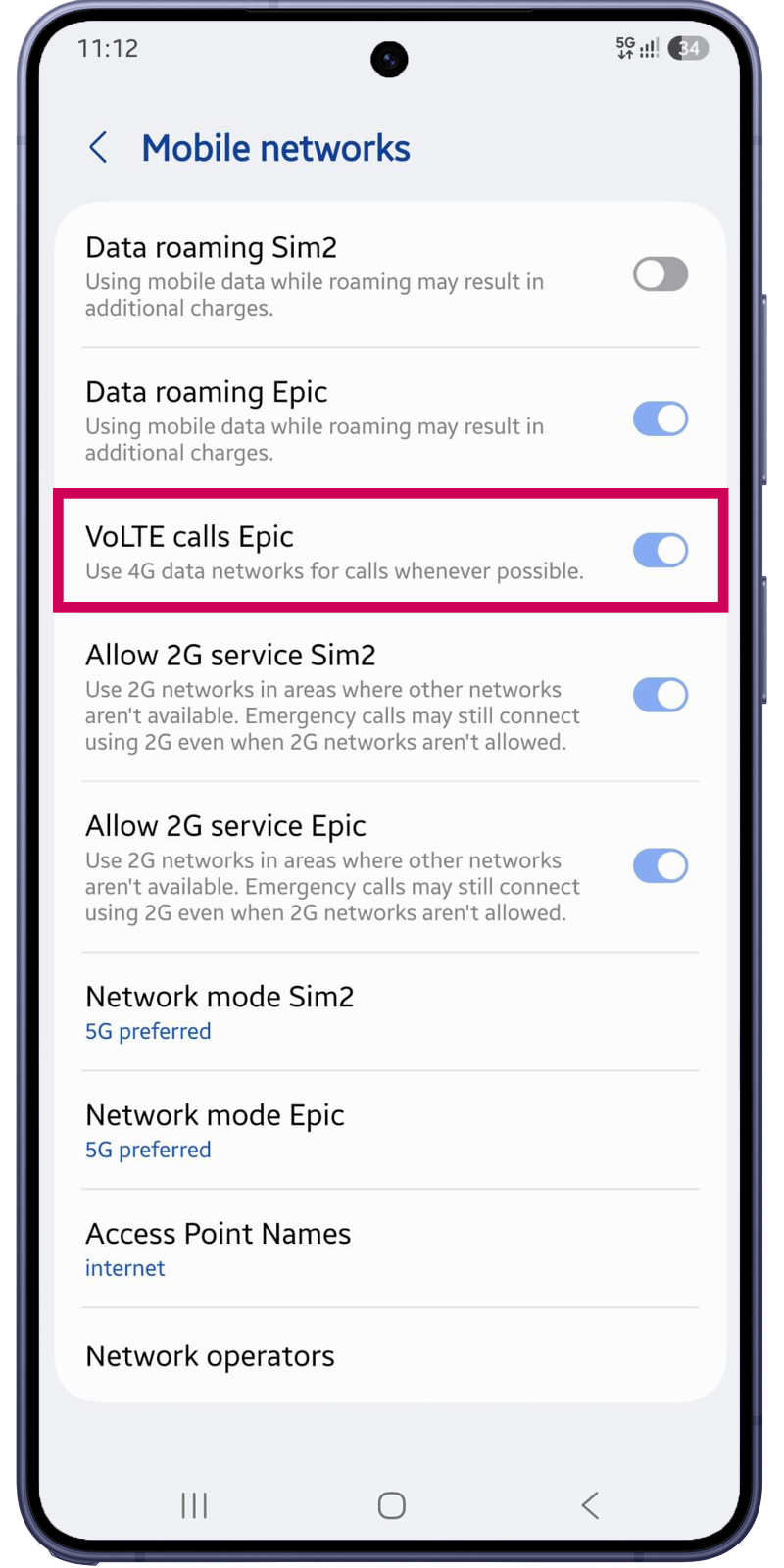
Turn on VoLTE
Turn on VoLTE for your Epic plan. You are set!
How to activate VoLTE on any Android phone?
- Go to ‘Settings’ and search for ‘Network & Internet’ or ‘Connections’.
- Select ‘Mobile Network’ or ‘SIM & Network’.
- Enable ‘VoLTE’ calling if available.
Settings and steps may vary by manufacturer of your smartphone. Alternatively you can search for ‘Enhanced 4G/LTE calling’ or ‘VoLTE‘ in your search bar for quicker access.
FAQs
What is VoLTE?
VoLTE (Voice over LTE) lets you make voice calls over the 4G or 5G network instead of older mobile networks. It provides clearer call quality and lets you continue using mobile data while you’re on a call.
Is VoLTE available on my Epic mobile plan?
Yes. VoLTE is available free of charge on all Epic mobile plans.
What are the benefits of VoLTE?
With VoLTE you can enjoy:
- Clearer, high-definition voice calls
- Faster call connection times
- Use 4G or 5G mobile data while you’re on a call
- Improved overall call experience where coverage is available
Does VoLTE cost extra?
No. VoLTE is included at no additional cost with your Epic mobile plan.
Which devices are compatible with VoLTE?
This technology is offered on a range of devices:
- Apple:iPhone 7 and later
- Samsung:Models released since mid-2022
How do I enable VoLTE?
If your device supports VoLTE, you can enable it in your phone settings.
Typically:
iPhone
- Settings > Mobile Service (or Cellular) > Mobile Data Options > Voice & Data > Select VoLTE or 5G Auto/On with VoLTE.
Android
- Settings > Connections or Mobile Network > Enable VoLTE Calls (the exact menu may vary by manufacturer).
How do I know if my phone supports VoLTE?
Most smartphones released in recent years support VoLTE. Your device must:
- Be VoLTE compatible.
- Have the latest software updates installed.
- Have VoLTE enabled in the phone settings.
My phone supports VoLTE but I can't enable it. Why?
Possible reasons include:
- Your device software needs updating.
- Your device model does not support VoLTE on the Epic network.
If you’re unsure, contact our Customer Care team or visit your nearest Epic store.
Can I still use mobile internet while on a call?
Yes. With VoLTE, you can browse the web, use apps, or stream content while you’re on a voice call.
Does VoLTE work everywhere?
VoLTE works where Epic’s 4G or 5G coverage is available and your device supports the service. If you’re outside 4G/5G coverage, your call may switch to another available network technology.
Do both people on the call need VoLTE?
No. You can call any mobile or fixed number. However, the best HD voice quality is achieved when both devices and networks support VoLTE.
Will VoLTE affect my battery life?
No. In many cases, VoLTE can actually improve battery efficiency because your phone doesn’t need to switch between different network technologies during calls.
Can I use VoLTE while roaming?
VoLTE roaming depends on the country and the network you’re connected to. Availability may vary by destination and roaming partner.
Who should I contact if I need help?
If you need assistance enabling VoLTE or checking whether your device is compatible, please contact Epic Customer Care or visit your nearest Epic store.